
Audream on your computer
A conversation.
A clearer next step.
Bring a recording into your workspace. Read the transcript, revisit a detail, and give your next idea somewhere to begin.
Open Audream WebBrowser workspace · Sign-in required
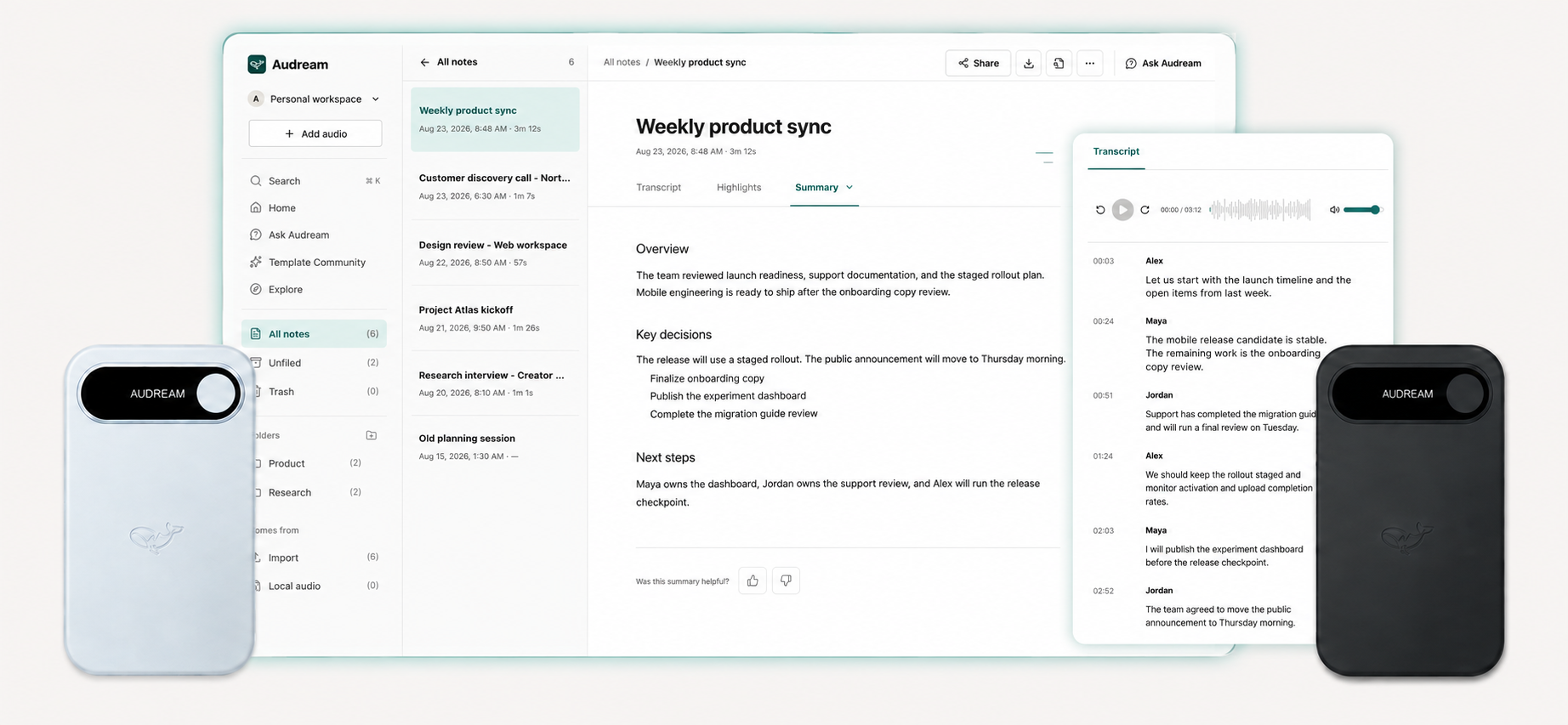
Meeting notes
Weekly product sync
3 speakers · Illustrative recording
The short version
A shared plan for the next release.
The team discussed the launch checklist, a final pass on onboarding copy, and the announcement draft.
Next steps
Back to the conversation
Alex
Let’s use this session to align on the launch checklist.
Maya
The onboarding copy needs one more review before we share it.
Jordan
I’ll prepare the announcement draft for Thursday.
A detail worth keeping
“The onboarding copy needs one more review before we share it.”
Maya · 00:24 · Weekly product sync
Keep important moments close to their original context.
Interactive illustration of the workspace. Sample conversation, not customer data. The application’s interface may differ.
From recording to reflection
Keep the words.
Find what matters.
- 01
Bring your recording
Import an audio file into Audream Web to start working with it.
- 02
Read with context
Explore the transcript and speaker labels. Revisit a passage and keep a highlight.
- 03
Make it useful
Work with summaries and ask questions about your notes. Review AI-generated content against the recording.
Before you begin
A few useful details.
Is this a downloadable desktop app?
This page introduces the browser workspace. A verified native desktop installer is not available here. Use the web app link above; it does not download an installer.
Can it capture any meeting automatically?
This page does not promise automatic meeting detection or system-audio capture. Start with a recording you are entitled to use and import it into the workspace.
What should I know before recording?
Tell participants before recording and obtain any required consent. Only upload content you have permission to use. Transcripts and summaries can contain errors; review them before relying on or sharing them.
Where can I get help?
Visit support or contact Audream for help with access, imports, or your recorder.